
Your product has features
nobody uses. Find them.
Eventra reads your codebase - TypeScript, React, Vue, Svelte, Astro, Angular - to build a complete feature catalog, then tells you which features are dead, which are fading, and which never fired at all. So you know what to cut, and what to fix.
- Free tier, 100k events a month
- No credit card
- Live read-only demo
$ eventra sync
Scanning...
Found 47 events, 3 function wrappers
Eventra dashboard · Features
- checkout_startedActive12,480 events
- invite_teammateDeclining-62% vs previous period
- legacy_exportDeadlast used 41 days ago
- bulk_taggingNever seenin code, 0 events ever
$
Operational views for product teams
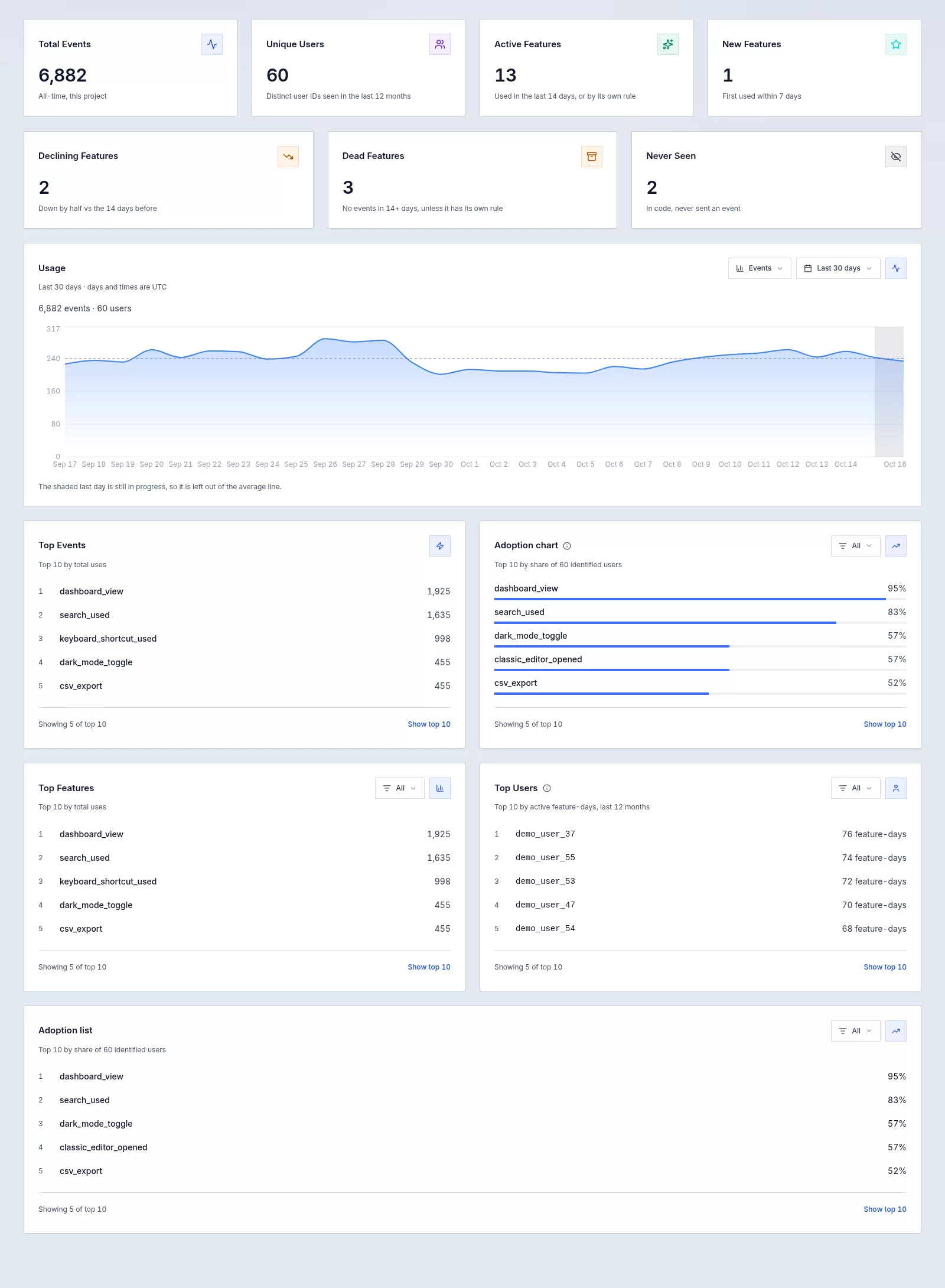
Features, lifecycle states, adoption and unique users over time, per-user activity, events, API keys, and system health - in one interface, where every number drills down.
The catalog comes from your code
You can't find dead features if you don't know what features exist. Every other analytics tool makes you define that manually. Eventra reads it from your code - and compares what's in the code with what actually happens in production.
Automatic catalog
The CLI scans your codebase with the TypeScript compiler API - follows wrappers, re-exports, and barrel files. Every track() call is found, even ones you forgot about. React JSX works out of the box; Vue, Svelte, Astro and Angular templates through official plugins.
Dead feature detection
A feature with no events past your dead-feature threshold (14 days by default, configurable per project) shows up on its own, grouped by how long it's been silent. You don't have to list what should count as dead.
Catch declining features early
Still used, but at half or less of the period before? Eventra flags it on the same time scale as your dead threshold and shows usage and users before and after, so you can ask what changed while the team still remembers.
Never seen: code that never fired
A feature the CLI found in your code that has never sent a single event is its own signal: unreachable code, a broken flow, or tracking that isn't wired up. Registering it never counts as a use or a user.
CI drift protection
eventra check exits 1 when your code and catalog are out of sync. New features get caught before they ship invisible. Removed features don't linger as ghost data.
Usage analytics for the living ones
Events and exact unique users over time, any custom date range, adoption, property breakdowns, per-user activity, and the raw event stream with properties. Every number drills down to the feature, user or event behind it, and the overview is yours to arrange: drag, resize and hide widgets, filter each list on its own.
From code to dead feature list in minutes
Add the SDK, run one CLI command, open the dashboard.
Add the SDK
Drop @eventra_dev/eventra-sdk into your app. One line to track a feature. Works in browser, Node, Edge, and serverless.
Scan with the CLI
Run eventra sync. The CLI walks your TypeScript, finds every track() call through wrappers and re-exports, and syncs the catalog.
See what to cut
Open the dashboard. Dead features are grouped by how long they've been silent, declining ones show how far they've fallen, and never-seen ones point at broken or unreachable code. Review, confirm, delete.
New, active, declining, dead, or never used
Judged against per-project thresholds - 7 days for new, 14 days for dead, both configurable, and any single feature can have its own dead threshold. The one that matters most is dead - that's your deletion list. Declining is its early warning.
First event within the new-feature threshold. Too early to call - give it time.
At least one event within the dead-feature threshold. Leave it alone.
Still used, but at half or less of the period before. On its way to dead - worth a look now.
Had usage before - nothing since the threshold passed. A candidate for removal.
In your code, never reached the platform. Misconfigured or unreachable.
SDK and CLI on npm
Open-source packages with published docs. Runtime delivery and static discovery stay separate.
TypeScript SDK with batching, backoff, circuit breaker, and browser persistence. Billable runtime events sent to api.eventra.dev.
SDK docs →Static analysis via the TypeScript compiler API. init, sync, check, watch, and send - catalog sync is non-billable and never counts as usage. Framework plugins for Vue, Svelte, Astro, and Angular.
CLI docs →Find your first dead feature today
Free tier, 100k events/month, no credit card. Run eventra sync and see your catalog - dead, declining, and never-seen features included - in minutes.